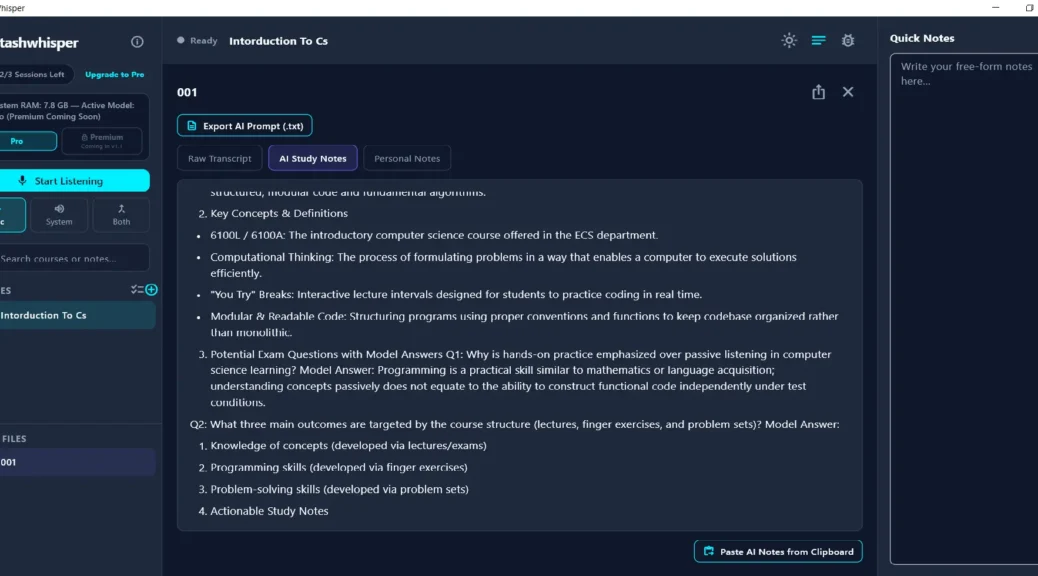
Taking notes during a lecture or meeting can be difficult, especially when you want to focus on what is being discussed rather than constantly typing. StashWhisper offers a simple solution by recording and transcribing lectures and meetings directly on your Windows computer.
The application is designed around a local-first approach. Audio recordings and transcripts are processed on the computer using whisper.cpp, rather than being automatically uploaded to an online server.
What Is StashWhisper?
StashWhisper is a Windows application designed primarily for lecture recording, live transcription and organizing study material.
It can continuously transcribe a lecture while it is happening, allowing you to follow the conversation through a live transcript. Sessions can also be organized and searched later, making it easier to find previously recorded information.
The application supports Windows 10 and Windows 11 and requires at least 8 GB of RAM for its intended live transcription experience.
100% Local Transcription
One of the main features of StashWhisper is local processing.
The application uses whisper.cpp to process audio and create transcripts directly on the computer. According to the developer, recordings and transcripts are not automatically uploaded to a server.
This approach can be useful for users who prefer to keep lecture recordings and transcripts on their own computer.
Turn Transcripts into AI Study Notes
StashWhisper does not include its own AI note-generation service. Instead, it creates a ready-to-use prompt containing the transcript.
The prompt can be exported as a .txt file and uploaded to an AI service such as ChatGPT, Claude or Gemini. The resulting notes can then be copied back into StashWhisper and stored with the corresponding session.
This creates a simple workflow:
Record → Transcribe → Export Prompt → Generate AI Notes → Save Notes
Organize Lectures and Sessions
StashWhisper also provides tools for organizing recorded sessions. Lectures can be grouped by course, while the search feature makes it possible to find information across stored material.
This can be particularly useful for students who regularly record multiple classes or training sessions.
No Monthly Subscription
The application currently offers a free trial consisting of three complete sessions. The website also lists a planned Pro version with unlimited sessions and additional features.
The Pro version is currently marked as Coming Soon, with distribution and purchasing handled through the Microsoft Store when available.
How to Get StashWhisper
StashWhisper is distributed exclusively through the Microsoft Store and supports Windows 10 and Windows 11. The free version includes three full sessions, allowing users to test the local transcription and AI prompt workflow before purchasing the Pro version.
You can download StashWhisper directly from the Microsoft Store:
Download StashWhisper from Microsoft Store